Calls
Making a Call
To make a call, you can either:
- Type the phone number directly
- Search for your contact by name or number using the "Search or dial" bar
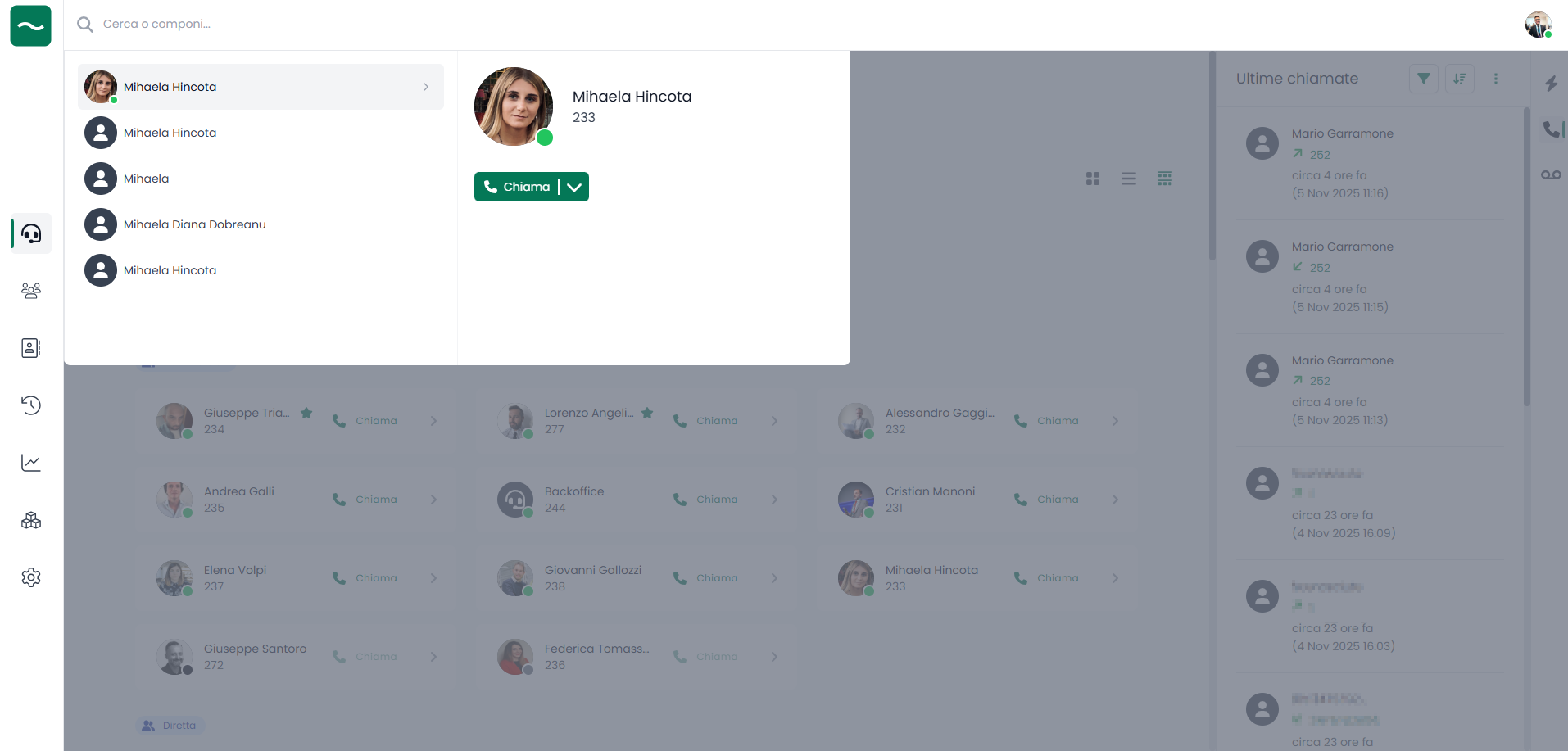
Phone Island
When you make or receive a call, the Phone Island will appear:
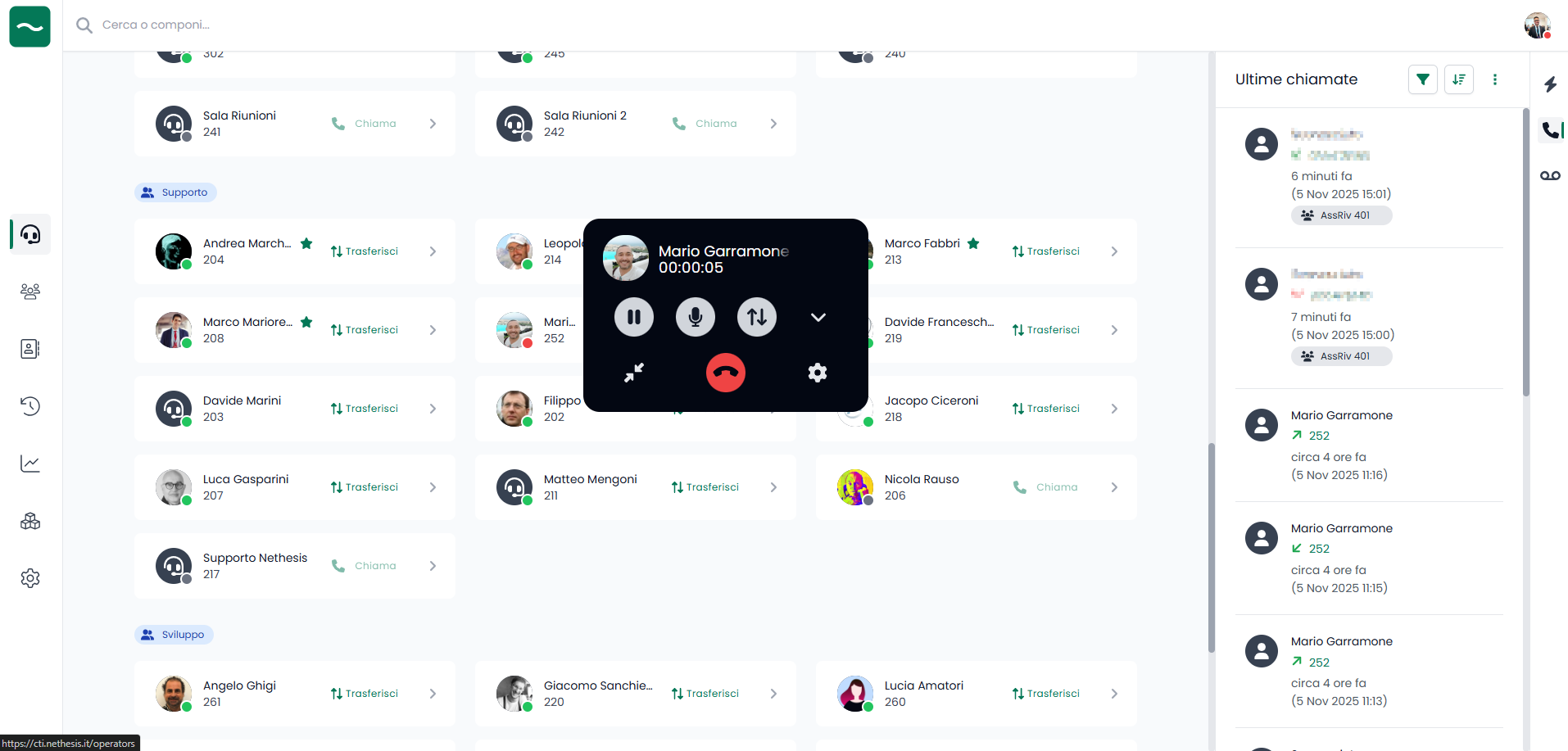
The Phone Island is the dedicated tool for managing your calls.
Phone Island Features
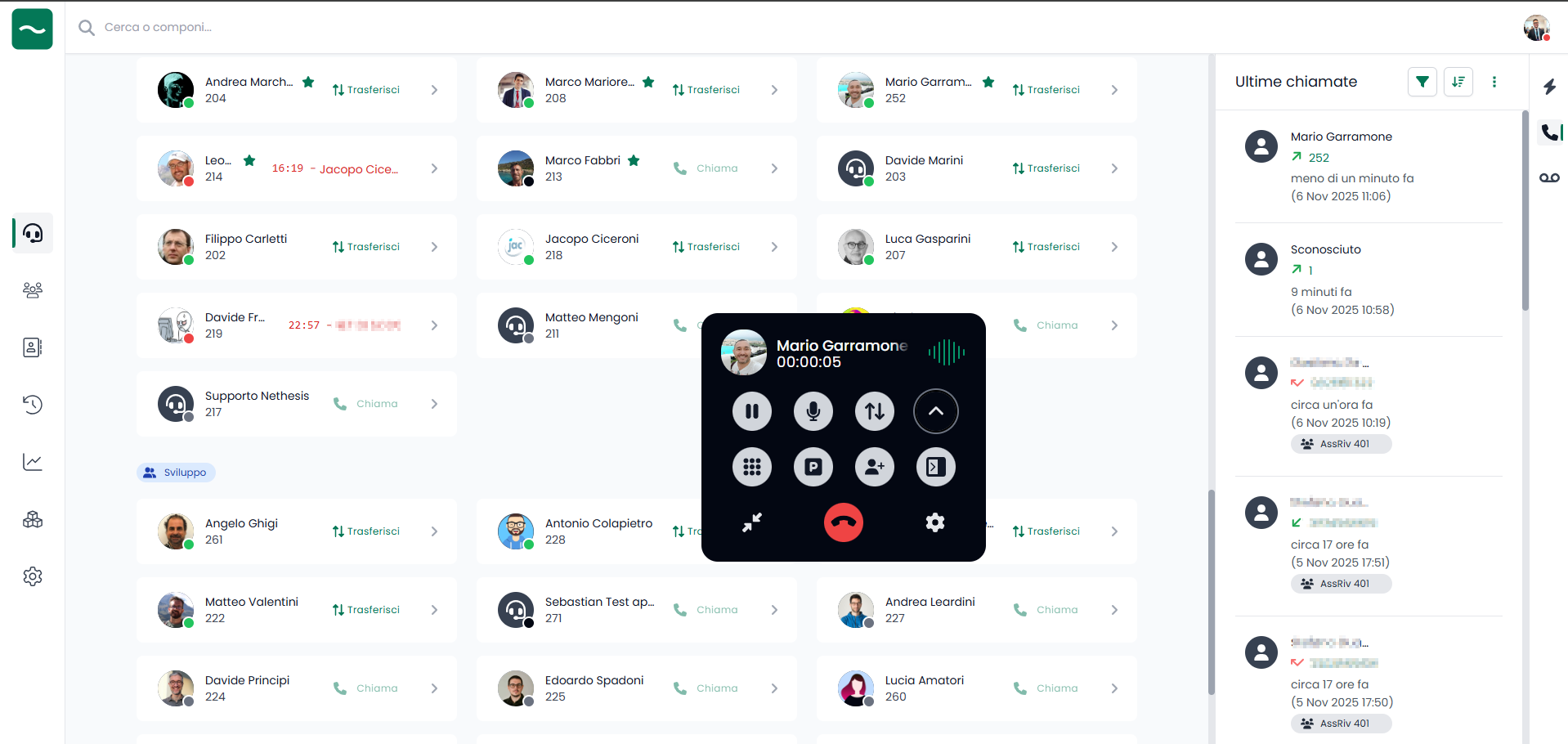
Through the Phone Island you can:
- Pause the call: Temporarily put the call on hold
- Mute microphone: Silence your microphone during the call
- Transfer the call: Click the transfer button and enter the name or number of the contact you want to transfer to
- Open numeric keypad: Use the keypad to enter numbers during a call (useful for IVR systems)
- Park the call: Park the call for later pickup (subject to specific permissions)
- Add participants to the call: You can add multiple participants to the conference (subject to specific permissions)
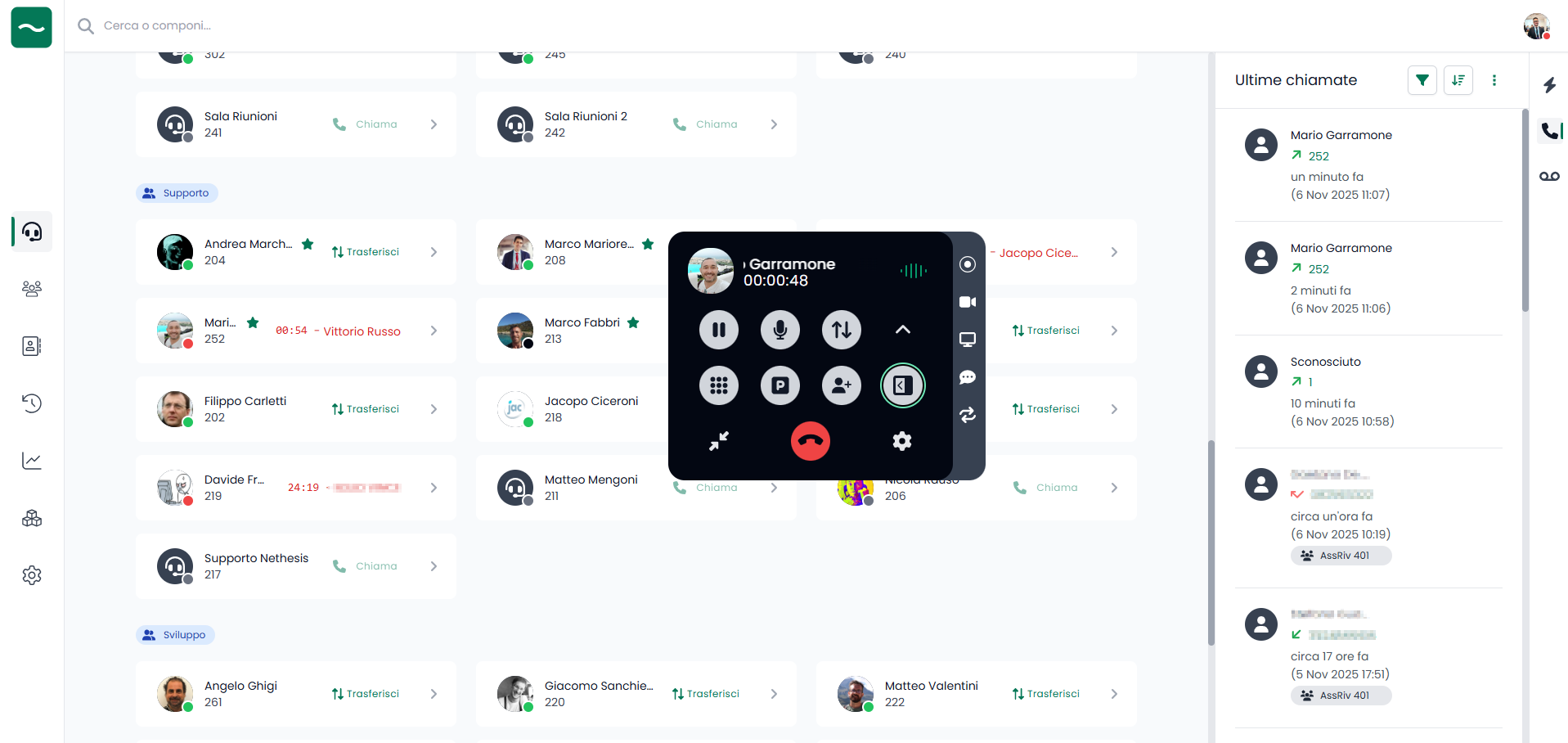
In other actions, you can:
- Record: Start recording the ongoing call (subject to specific permission).
- Enable video: Start a video call with the caller (subject to specific permission).
- Share screen: Share your screen with another extension registered on NethVoice (subject to specific permission).
- Open transcription: Open the live transcription panel and start transcribing the current call, when enabled by the administrator and allowed for your user.
- Switch device: Change the device during an active call, using either the app or a desk phone.
When available, post-call transcription and summary are accessed later from History, not directly from the active call controls.
Phone Island Positioning
The Phone Island is a dynamic tool that you can move by dragging it anywhere on your screen for optimal visibility and convenience.
Incoming Calls
When you receive an incoming call, you will see:
- Caller name or number
- Option to accept or reject the call
- Call timing information
Click the accept button to answer the call and the Phone Island will appear.