Installation
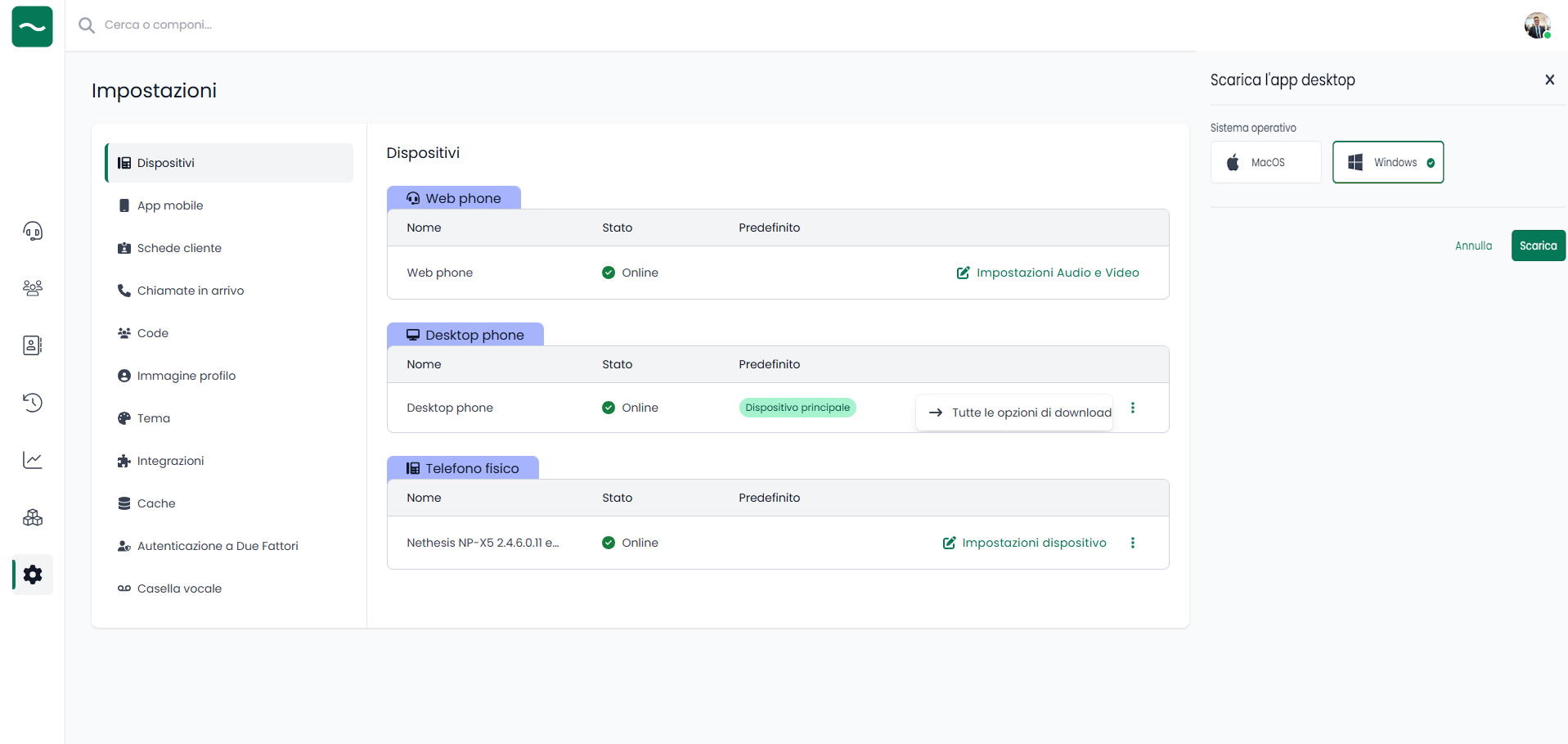
NethLink is available as a standalone desktop application. To install it:
- Access NethVoice CTI
- Navigate to the Settings → Devices section
- Download the application in the version appropriate for your operating system
- Install the application following the specific instructions for your operating system
NethLink is available for download from the official website: nethserver.github.io/nethlink
System Requirements
- Windows: Windows 10 or later
- macOS: macOS 10.13 or later
- Linux: Ubuntu 18.04 or later (AppImage)
Installation Steps by Operating System
Windows
- Download the
.exeinstaller - Double-click the installer
- Follow the installation wizard
- Launch NethLink from the Start menu
macOS
- Download the
.dmgfile - Open the
.dmgfile - Drag NethLink to the Applications folder
- Launch from Applications folder
Linux
- Download the
.AppImagefile - Make it executable:
chmod +x NethLink-*.AppImage - Run the application or integrate it into your application menu